FormBuilder - A drag-and-drop form builder as a Laravel package
Project Overview:
FormBuilder is a Laravel package rather than a hosted service. You install it into a project you already have, and the builder shows up inside your existing admin. Twill by default, anything else through config. Nothing extra to host, no second login, and no Node build in the host app, since the compiled assets ship with the package.
Forms carry their own styling. There’s a theme per form covering fonts, colours and spacing, plus custom CSS if you need it, so a form looks the same wherever you put it rather than depending on the page around it.
Objectives
- Put a proper form builder inside an admin people already use, instead of sending them to a second product.
- Give a form more than one way out into the world, without needing a developer for each one.
- Make it work on a phone, not just fit on one.
Main Features
1. The editor
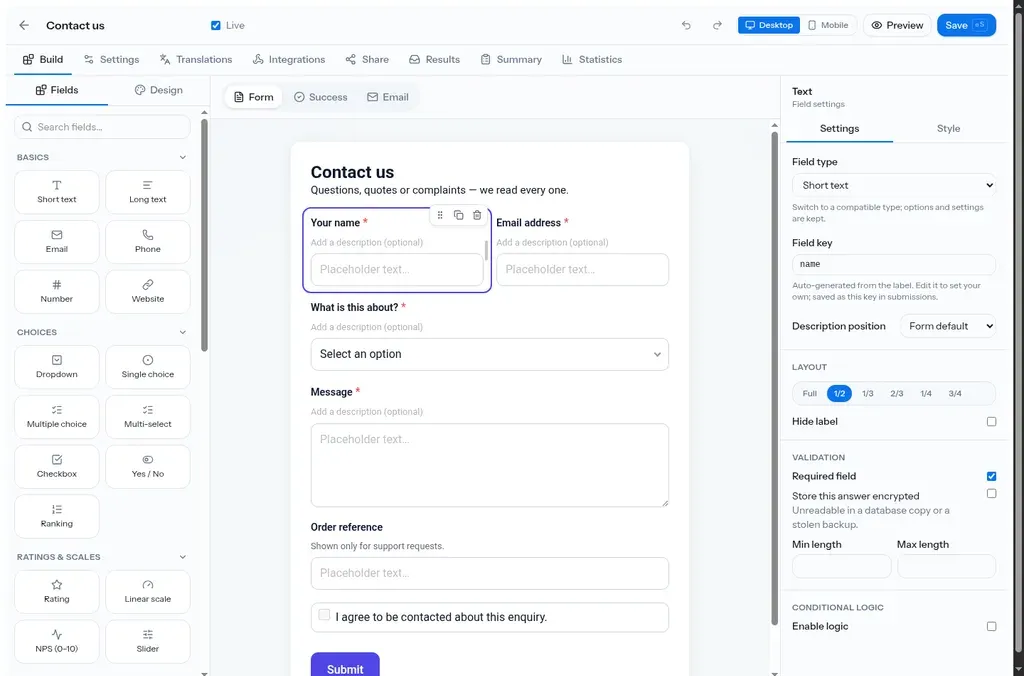
Fields on the left, the form in the middle, settings for whatever you clicked on the right. Around twenty field types, split into basics, choices, and ratings and scales. The usual text, email and phone, plus ranking, NPS, linear scales and sliders.
Everything sits on a twelve column grid, so field widths are full, 1/2, 1/3 and so on. Any field can be required, get validation bounds, be hidden behind conditional logic, or be stored encrypted so it’s unreadable in a database dump.
The canvas isn’t a mockup of the form. It’s the same component that renders the live one, so spacing and theme changes show up exactly as they’ll look.
2. Editing on a phone
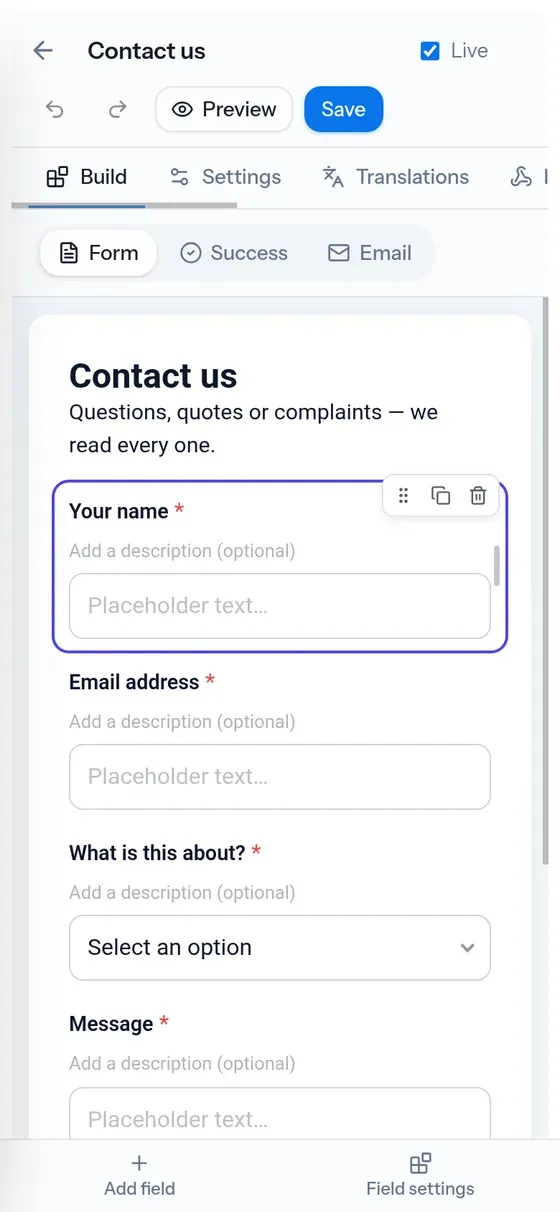
The builder works on a phone. The two side panels turn into Add field and Field settings buttons at the bottom, the tabs become a scrollable strip, and the form gets the full width. You can add a field, move it, and change its settings without anything spilling off the screen.
There’s also a Desktop/Mobile toggle for choosing which breakpoint you’re styling. Mobile values fall back to the desktop ones until you change them, and one button clears the lot.
3. Sharing and embedding
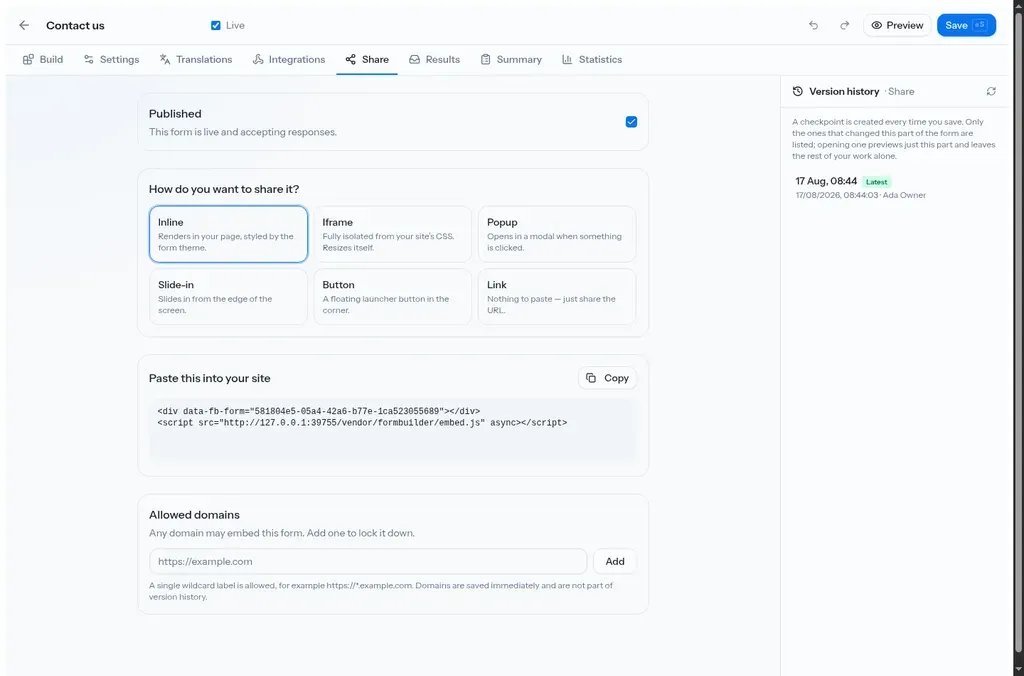
The Share tab is where a form leaves the admin. Six ways to do it, and the snippet updates as you pick:
- Inline renders straight into your page, styled by the form theme.
- Iframe is fully isolated from your site’s CSS and resizes itself, so no guessing a height.
- Popup opens in a modal when something is clicked.
- Slide-in comes in from the edge of the screen.
- Button is a floating launcher in the corner.
- Link is just a URL, nothing to paste anywhere.
Everything except Link is the same two-line snippet with different attributes, so switching mode is a copy and paste rather than a rebuild. By default any domain can embed a form, and you can lock that down to a list.
4. Templates
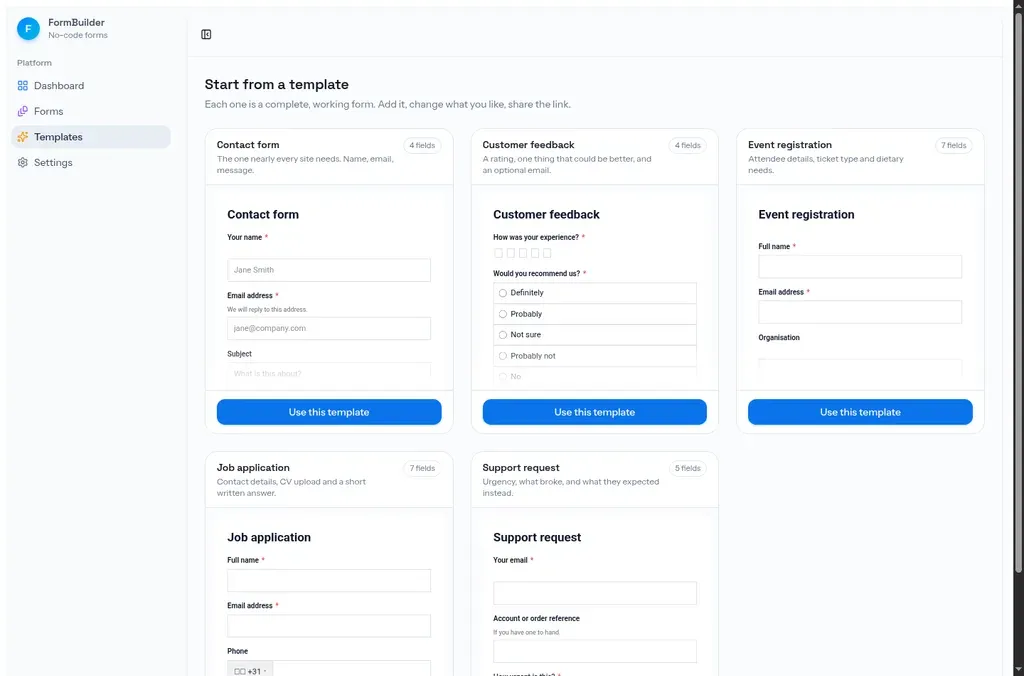
The gallery shows working forms instead of a list of names, so each card is a live preview with its field count. Five to start with: contact, customer feedback, event registration, job application and support request. They’re just JSON files, so adding more doesn’t need a code change.
5. Submissions and statistics
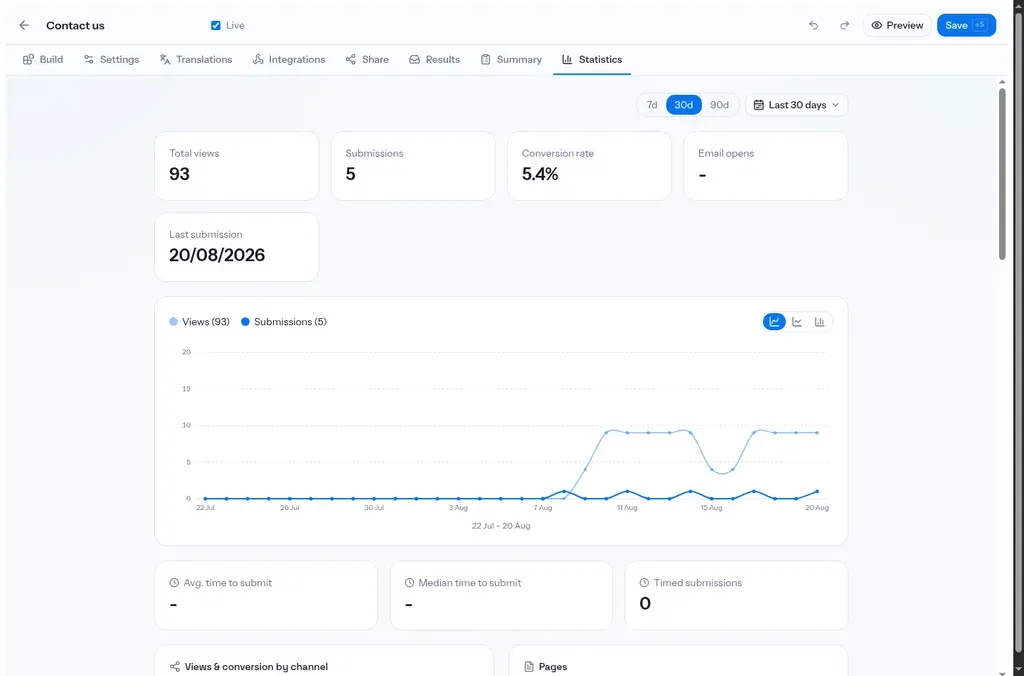
Each form has a statistics tab with views, submissions, conversion rate, a chart over time, how long people take to submit, and breakdowns by source, referrer and device. A view only counts once someone actually starts filling it in, which keeps the conversion rate honest.
There’s also a searchable list of submissions with CSV export, notification emails to you and confirmation emails to whoever filled it in, and a version history so you can see who changed what.
6. Access, spam and languages
Forms can be password protected, set to open and close on a schedule, capped at a number of submissions, or limited to one response per visitor. Spam is caught with a hidden honeypot and a timing check instead of a captcha, and every public endpoint is rate limited.
Labels, options and validation messages can all be translated, and the right language gets picked from a query parameter or the visitor’s browser.
Outcome
FormBuilder runs the contact form on this site now, embedded inline so it sits in the page rather than in a frame. Why I ended up building it is a separate post.